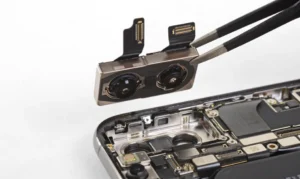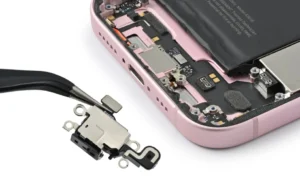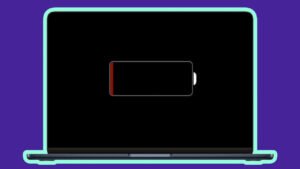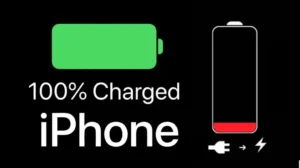
The iPhone is a device many of us rely on every day. It’s a tool for work, communication, and entertainment. Because the phone is so important, it can be upsetting to see an unexpected alert pop up on the screen. One such alert is the “Important Battery Message.” This message often appears after a battery replacement or repair. It can be quite confusing.
This guide will help you understand this alert, what it means for your phone’s performance, and how to handle it effectively. We will explain why this message appears and what you can do about it. The alert doesn’t mean your phone is broken, but it does tell you something vital. We will also share how to get a reliable battery replacement so you can avoid this message in the first place.
Understanding the iPhone Battery
The battery is the heart of your iPhone. The device simply cannot function without a healthy power source. Apple has a strict system to ensure that only genuine parts are used in their products. This system is designed to protect users from counterfeit or unsafe parts. This is why you may see an alert after a repair. The alert is a direct result of this built-in system. It tells you that your iPhone is not able to confirm the authenticity of the newly installed battery.
This alert is not uncommon, especially if the repair was done outside of an authorized Apple service center. However, the message does not always mean the new battery is unsafe. It simply means the phone cannot verify the part. Therefore, it is important to understand the alert rather than panic. This alert can be triggered for a few main reasons. These reasons are explained in detail below. It’s also important to know that the message does not cause your phone to stop working. Your iPhone will still charge and function. However, some features may be affected.
The message can be an inconvenience. Furthermore, it might make you worry about the quality of the repair. Rest assured, many high-quality, third-party repair shops can do excellent work. They often use parts that are just as good as Apple’s. But without Apple’s proprietary pairing process, the message will still show up. This is a key point to understand. The message is about the verification process, not always the quality of the part. This message is a warning, not a failure notice. We will now explore the specific reasons behind the message.
Why an Important Battery Message Appears
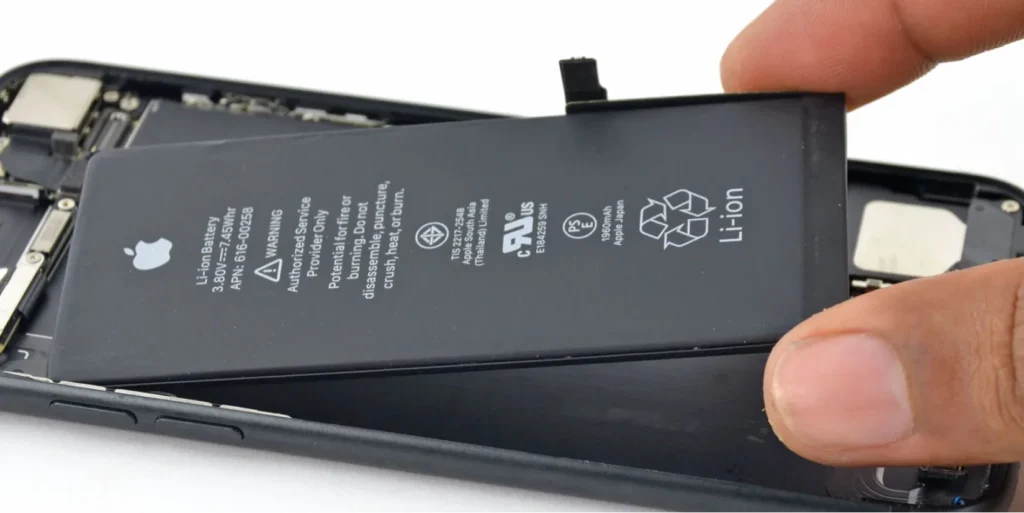
There are several reasons why this message might pop up on your iPhone. Understanding these reasons can give you peace of mind. One common reason is that the newly installed battery is not a genuine Apple part. While a non-genuine part might still work well, your iPhone’s software is programmed to flag it. The software is designed to recognize and verify genuine parts only. This verification process involves a specific system pairing.
Another frequent cause is the replacement process itself. Even if a genuine Apple battery is used, the message can appear if the repair was done without Apple’s system pairing process. This process links the new part to your phone’s logic board. Without this digital handshake, the phone cannot confirm the part’s authenticity. This happens frequently with repairs done by unauthorized third-party shops. They may have high-quality parts but lack the proprietary tools to complete the pairing.
The message may also be triggered by an error during the repair. Perhaps a component was damaged, or the connection was not properly secured. In some cases, the message appears when the iPhone detects that the battery is not working as expected. This could be due to a faulty part or an issue with the installation. It is always wise to choose a reputable repair provider to minimize these risks. Choosing the right provider is a crucial step in avoiding these issues. A good provider will have skilled technicians.
The Effects on Performance
When the “Important Battery Message” appears, many people wonder if their phone will still work correctly. The good news is that the message does not shut down your device. Your iPhone will continue to function normally. You can make calls, send texts, and use apps. However, you will lose access to some useful features. These features are related to the monitoring of your battery health.
For example, you may no longer see your battery health data in your phone’s settings. The maximum capacity details will also be unavailable. This can be problematic because this information helps you track the aging process of your battery. Without it, you cannot tell if your battery is degrading over time. Similarly, your iPhone may be unable to report on its peak performance capability. Normally, your phone can manage power to prevent sudden shutdowns. Without the health data, this feature may not work as well.
It is important to note that the phone is still safe to use. You will still get a charge, and your phone will turn on. The message is designed for transparency. Apple wants you to know that the device might not be using a verified part. While this can be inconvenient, it is not a reason to panic. The phone’s core functions will not be affected by the message.
How to Fix or Manage the Battery Warning
If you have this message on your phone, you have a few options. The most straightforward solution is to get the battery replaced at an official Apple Store or an Apple Authorized Service Provider. They have the special tools to perform the proper system pairing. This ensures the message will not appear. It is the most reliable way to fully fix the issue.
Another option is to go to a trusted third-party repair shop. Some independent shops use genuine Apple parts but still cannot reset the warning. This is due to Apple’s restrictions on the pairing process. However, if the shop is reputable and skilled, the battery they install will work well. The message will simply be a minor nuisance. Many people choose this option for its affordability and speed. You can often get your phone back the same day.
Health Reporting
Finally, you can choose to ignore the message. The alert may disappear on its own after a few days. Even if it stays, your phone will still charge and work. The main drawback is the loss of battery health reporting. The phone will still be functional. So, you can choose to live with the message if you are not concerned about tracking your battery health.
When a battery issue arises, it’s best to rely on experts. FAST MANTNACE MOBILE PHONES REPAIR is a perfect example of a trusted service provider. They offer fast, reliable phone, tablet, and iPad repairs. Our skilled technicians handle everything from cracked screens to complex hardware issues with precision and service is hassle-free even pricing is affordable. Our repairs are ones you can trust every time. We understand the importance of your device. and work hard to get it back to you in perfect working order. So we are dedicated to quality. We are dedicated to our customers.
Essential Battery Care Tips to Prevent Issues
Taking care of your phone’s battery can help you avoid many problems. Simple habits can extend the life of your power source. First, avoid exposing your phone to extreme temperatures. Extreme heat and cold can damage the battery. This can lead to faster degradation. For example, leaving your phone in a hot car is a bad idea. Similarly, using it in very cold weather can cause issues.
Second, use only original or certified charging accessories. Third-party chargers can sometimes be of low quality. They may not deliver a stable charge. This can harm your battery over time. Always check for MFi (Made for iPhone) certification on third-party chargers. This certification ensures they meet Apple’s standards.
Third, charge your phone before it drops below 20%. Let’s say you use your phone until it dies every time. This can strain the battery. It’s better to keep it charged between 20% and 80%. This range is considered ideal for long-term battery health.
Finally, always keep your iOS updated. Apple releases software updates that often include battery optimizations. These updates can improve your phone’s efficiency. Keeping your phone updated helps your battery work its best. These simple tips can help you get the most out of your phone’s battery.
Conclusion
The “Important Battery Message” on your iPhone can be alarming, but it’s not a reason for major concern. This alert usually means your iPhone cannot verify the authenticity of a new battery because of Apple’s system pairing requirements. While it may disable some battery health features, your phone remains fully functional and safe to use. You can choose to get the repair done at an Apple Authorized Service Provider to remove the message entirely. Or, you can choose a trusted third-party shop like FAST MANTNACE MOBILE PHONES REPAIR, which provides high-quality, affordable service.
Remember that proper battery care is essential for your phone’s long-term performance. By following simple tips, you can extend your battery lifespan and avoid many issues. For any complex repairs, don’t hesitate to seek professional help. Your phone’s health is in good hands with our skilled technicians.